



AI Studio: Create Pages Fast with HighLevel
Staring at an empty page is one of the biggest bottlenecks in launching new funnels, websites, and booking pages. HighLevel’s AI Studio turns that blank canvas into a guided, AI‑powered experience—so you can go from idea to version one in minutes instead of hours.
What AI Studio Is Inside HighLevel
AI Studio is HighLevel’s AI‑powered page builder that lives directly inside each sub‑account. Instead of starting from a totally blank page, you describe what you want in plain language, and AI Studio generates the first draft of your pages, sections, and layouts for you.
In the sub‑account sidebar, you’ll see it labeled as “AI Studio (Beta)”. If you don’t see it yet, your agency may need to enable it under Labs, where HighLevel rolls out new AI capabilities like AI Builder and funnel creation agents (see HighLevel’s Labs governance updates, ghl.news).
The Core Promise: Faster Pages From Prompts, Not From Scratch
The heart of AI Studio is simple: you type a prompt, and HighLevel does the heavy lifting. Instead of dragging blocks around a blank canvas, the AI assembles layouts, content, and structure based on what you describe. This mirrors how HighLevel already uses AI in other areas—like AI Builder for workflows and Email AI for brand‑aware emails—but focused specifically on page creation (see HighLevel’s AI Builder and Email AI updates, ideas.gohighlevel.com, help.gohighlevel.com).
What You Can Do With AI Studio
Once AI Studio is enabled, it becomes your shortcut to getting pages live. Within the AI Studio interface, you can:
Create full pages from prompts: Describe your offer, audience, and goal, and let AI Studio generate a complete landing page or simple website structure—headlines, sections, and core copy included.
Generate sections or multiple pages faster: Need a testimonials block, pricing section, or extra services page? Ask for it, and AI Studio builds it instead of you rebuilding patterns by hand.
Clone pages from URLs or screenshots: Point AI Studio to an existing page or upload a screenshot, and it will recreate the structure in HighLevel so you can quickly adapt it to your brand and offer.
Use uploaded images to inspire design: Upload brand assets or example designs, and AI Studio can align colors, layout ideas, and visual hierarchy around those references—similar to how Email AI applies your Brand Board automatically (Email AI 2.0, help.gohighlevel.com).
Update layout, styling, and content with AI: Don’t like a section? Ask AI to rewrite the copy, adjust spacing, or tweak the layout. You stay in control while the AI handles the tedious edits.
Add forms and booking experiences: Drop in HighLevel forms or calendars so every AI‑generated page can capture leads or book appointments without extra tools or plugins.
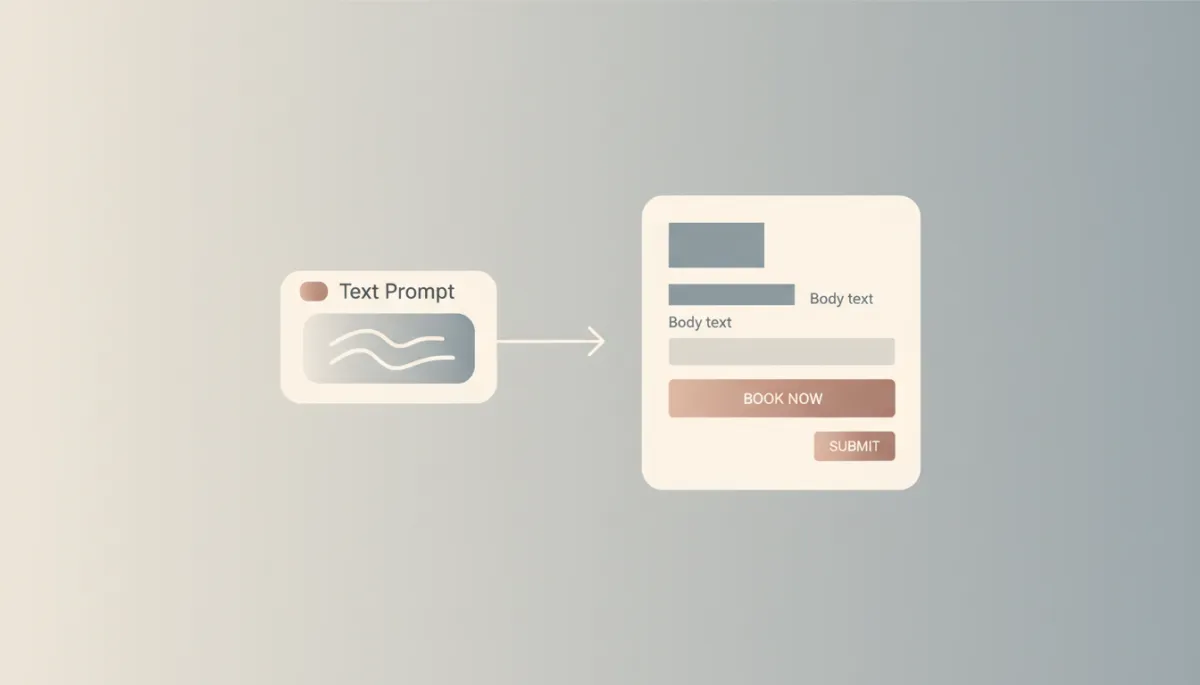
AI Studio removes the blank canvas and delivers a usable first draft in minutes.
How AI Studio Works: A Simple, Guided Flow
AI Studio follows a straightforward flow designed to keep you moving forward instead of stuck at the starting line:
Enter a prompt: Describe the page you need—“A lead gen page for a local dentist offering free whitening consults,” for example.
Answer guided questions: AI Studio may ask clarifying questions about your audience, offer, brand tone, or goal, similar to the “thought planning” approach used in Ask AI’s Prompt–Plan–Output interface (see Ask AI upgrades, help.gohighlevel.com).
Generate a draft: AI Studio produces a complete first version—sections, placeholder images, and copy aligned with your answers.
Refine layout and content: Use AI prompts to tweak headlines, adjust layouts, or swap sections. You can iterate quickly without manual rebuilding each time.
Connect forms or calendars: Add your HighLevel forms and booking calendars so the page doesn’t just look good—it captures leads and appointments from day one.
💡 Pro Tip: Treat AI Studio like a fast, creative assistant. Let it build the first pass, then you fine‑tune messaging and on‑brand details.
Why AI Studio Feels So Different From a Blank Canvas
The hardest part of building pages is often the beginning. The cursor blinks, the canvas is empty, and every decision—from layout to copy—rests on you. AI Studio is designed to remove that friction, especially for non‑designers and busy agency owners who don’t want to live inside a page editor all day.
Faster launch times: Because AI Studio handles the heavy lifting of structure and first‑draft copy, you can move from idea to live page dramatically faster—mirroring the 50%+ speed gains HighLevel reports with AI Builder for workflows (AI Builder speed optimization, ideas.gohighlevel.com).
Less friction for non‑designers: You don’t need to be a designer to get a clean, conversion‑focused layout. The AI takes care of best‑practice structure so you can focus on your offer and messaging.
Easier first draft creation: Instead of wrestling with “What should this page even look like?”, you start from something tangible. Editing a draft is always easier than creating from zero.
When to Use AI Studio: Best Use Cases
AI Studio shines whenever speed matters more than pixel‑perfect custom design. It’s especially powerful for:
Landing pages: Promote a new offer, webinar, or campaign quickly, with AI‑generated sections tailored to your goal and audience.
Simple websites: Spin up clean, multi‑section sites for local businesses or personal brands without a full custom design process.
Lead capture pages: Pair AI Studio’s layouts with HighLevel forms to build opt‑in pages for guides, checklists, and free trials in minutes.
Appointment booking pages: Create straightforward booking experiences that highlight your offer and plug directly into your calendars and workflows.
In other words, if the goal is to launch and start collecting data, not to win a design award, AI Studio is the right tool.
AI Studio: Your Shortcut to Version One
HighLevel’s AI Studio is not trying to replace your creative judgment. Instead, it gives you a powerful head start: a solid, conversion‑ready version one built from your prompts, guided questions, and brand inputs. From there, you can refine, optimize, and scale—without ever again losing hours to the stress of a blank page.
If you want to launch landing pages, lead gen funnels, or booking experiences faster, look for AI Studio (Beta) in your HighLevel sidebar, enable it in Labs if needed, and let AI handle the hardest part: getting that crucial first draft done for you.
Want More AI Studio & GHL Build Tips?
If this update excites you and you’d like to learn more about building smarter with HighLevel’s AI Studio and page builder, come hang with us inside the Let Go Boss Community. We host a free coaching call every Thursday from 1pm–2pm CST where we share the latest updates, answer questions, and help you level up your builds.
Join us and be part of a growing group of GHL power users who are pushing what’s possible.