





AI Studio vs Ask AI: Key Differences & Uses
HighLevel now offers two powerful AI tools—AI Studio and Ask AI—that sound similar but do very different jobs. Understanding how they differ, when to use each, and how they work together can dramatically speed up how you build funnels, websites, and campaigns.
AI Studio vs Ask AI: The Big-Picture Difference
In simple terms, AI Studio is a visual builder, while Ask AI is an assistant and action layer that helps you get work done inside HighLevel.
AI Studio focuses on building pages—think page layouts, site drafts, and lead capture experiences your visitors actually see and interact with.
Ask AI focuses on helping you act inside HighLevel—generating content, guiding workflows, and executing multi-step tasks across the platform.
Both are “AI,” but they live in different layers: AI Studio shapes what your prospects see; Ask AI shapes how you work.
What AI Studio Does Best: Building Pages That Capture Leads
AI Studio is your visual AI builder inside HighLevel. It’s designed to help you quickly turn ideas into live, on-brand pages without starting from a blank canvas every time.
Page creation: Describe what you want—a webinar registration page, a simple lead magnet landing page, a thank-you page—and AI Studio drafts the structure and sections for you. You then refine the layout with the familiar drag-and-drop builder.
Site drafting: Instead of building an entire site page-by-page, AI Studio can help outline and draft multi-page experiences—home, services, about, contact—so you move straight into polishing rather than starting from zero.
Lead capture: AI Studio can suggest and structure opt-in forms, hero sections, calls-to-action, and trust elements that support conversions. You focus on your offer; it helps you turn that offer into a functioning funnel page.
💡 Think of AI Studio as: “Give me a page that does X,” and it drafts the layout, sections, and basic content so you can customize and launch faster.
What Ask AI Does Best: Guiding, Writing, and Executing Inside HighLevel
Ask AI is your assistant and action layer. Instead of building visual pages, it helps you think, write, and execute across HighLevel—like having a smart teammate embedded in your account.
Content generation: Ask AI can draft headlines, body copy, email sequences, SMS messages, ad angles, and nurture content tailored to your audience and offer. You can then paste or refine this content in your pages, funnels, and campaigns.
Workflow assistance: Unsure how to structure a follow-up sequence, pipeline, or automation? Ask AI can outline the steps, suggest triggers, and help you decide what should happen when a lead opts in, books a call, or becomes a customer.
Multi-step execution: Beyond advice, Ask AI can help you perform multi-step actions—for example, creating a workflow, adding steps, or configuring automations based on your instructions, instead of you clicking through every menu manually.
💡 Think of Ask AI as: “Help me plan and set this up,” and it responds with ideas, copy, and actions that move your project forward inside HighLevel.
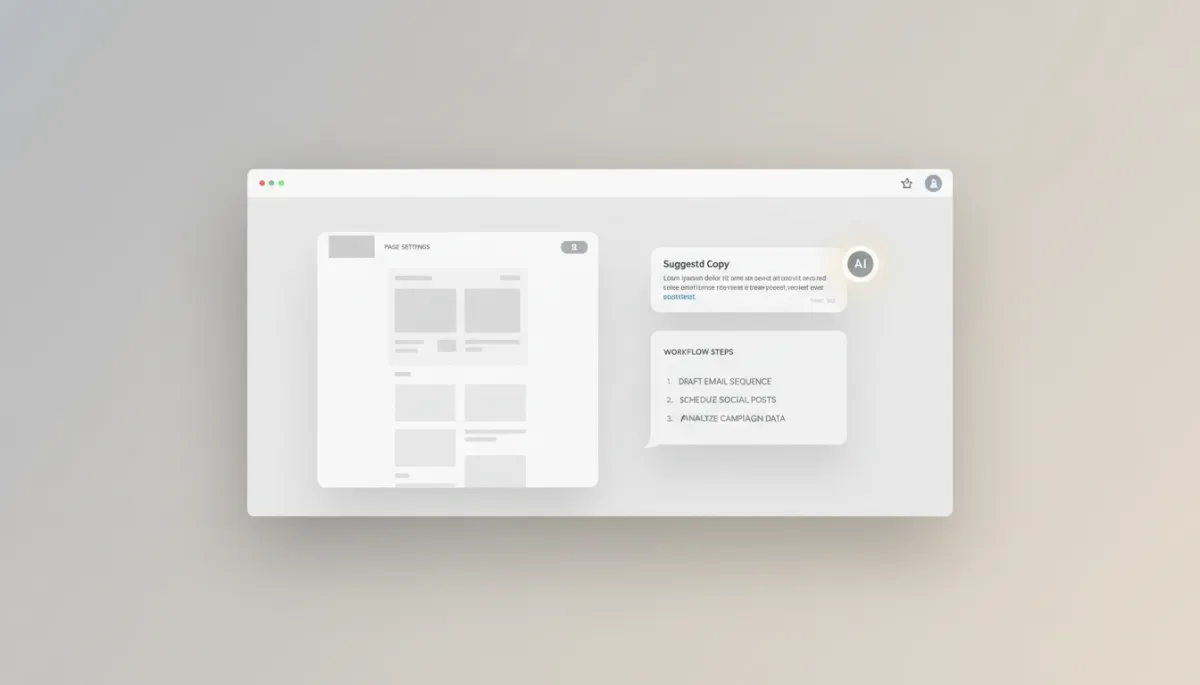
Ask AI turns your instructions into content, workflows, and concrete actions inside HighLevel.
Visual Builder vs Assistant & Action Layer: The Core Functional Difference
The cleanest way to separate the two is by asking: What is being “built”?
AI Studio (Visual Builder): Builds what your visitors see—pages, layouts, sections, and lead capture experiences. It lives in the design and structure layer of your funnel or site.
Ask AI (Assistant & Action Layer): Builds what you do—content, workflows, and multi-step actions. It lives in the strategy, copy, and operations layer of your HighLevel account.
One is primarily visual and structural; the other is conversational and operational.
When to Use AI Studio vs When to Use Ask AI
Use AI Studio When…
You need a new landing page, sales page, or opt-in page created quickly.
You’re drafting a multi-page site for a client and want AI to propose the structure and initial layouts.
You’re focused on lead capture and want AI to help you spin up forms, sections, and flows that support conversions.
Use Ask AI When…
You need content written—page copy, emails, SMS, or ad ideas tailored to a specific audience or offer.
You’re unsure how to structure a workflow or automation and want AI to propose triggers, conditions, and follow-up steps.
You want to perform multi-step actions faster—like setting up campaigns, sequences, or configurations—without manually clicking through every screen.
Quick rule of thumb: If you’re staring at a blank page builder, reach for AI Studio. If you’re stuck on what to say or what to do next inside HighLevel, reach for Ask AI.
How AI Studio and Ask AI Work Together
You don’t have to choose one or the other. In fact, the real power comes when you use them together in a single workflow.
Start with Ask AI to clarify strategy: “I’m promoting a free webinar to gym owners. What funnel should I build, and what pages do I need?” Ask AI can outline your funnel, suggest page types, and propose messaging angles.
Move into AI Studio to build the actual pages based on that plan. Use it to generate the layouts, sections, and lead capture elements for each page in the funnel.
Return to Ask AI to write the copy, draft email follow-ups, and help you set up the workflows that tie everything together—reminders, confirmations, and post-webinar offers.
In other words, Ask AI plans and guides; AI Studio builds the pages that plan requires. Then Ask AI comes back in to help you wire up the automation and content around those pages.
Final Takeaway: Which One Should You Use?
You’ll get the most out of HighLevel by using both tools for what they’re best at:
Reach for AI Studio whenever you need to create or redesign pages, draft sites, or build lead capture experiences.
Reach for Ask AI whenever you want to generate content, get workflow help, or perform multi-step actions without doing everything manually.
The simplest way to remember it is this: AI Studio builds the page, Ask AI helps you get work done.
Want to Master GHL Without the Confusion?
If you’re still figuring out when to use AI Studio vs Ask AI, you’re not alone. That’s exactly what we break down inside the Let Go Boss Community.
We host a free coaching call every Thursday from 1pm to 2pm CST where we walk through real use cases, simplify new features, and help you actually apply what GHL releases.
Join us and get clear on what to use, when to use it, and how to make it work for you.