Fuel Cart
Your Fuel Cart is empty
Browse the Fuel ShopYour brand room
One place to talk with the team doing your work.
Your brand has its own room. The team posts progress there and you can ask anything, any hour.
- Open ChatsYour brand room is the first one in the list.
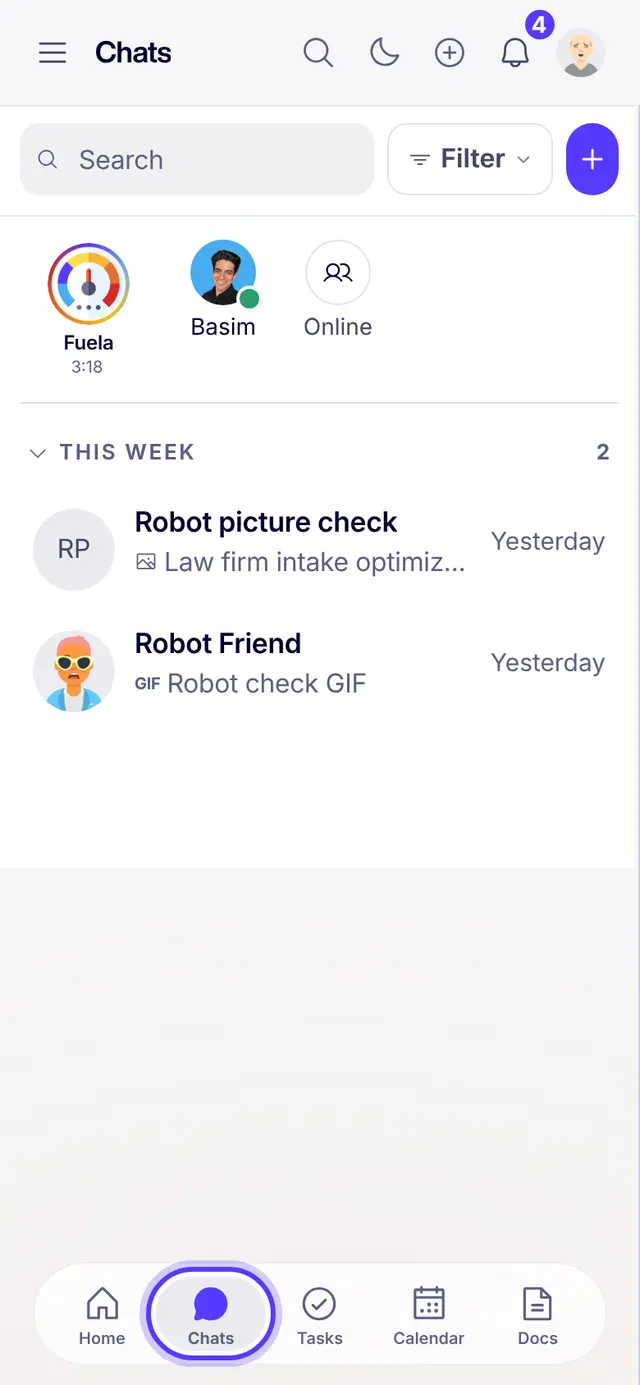
- Say what you needType it plain: a change, a question, a new idea. Voice notes work too.
- Tap a task chipWhen the team mentions a task, tap it to see its status.
- Turn on notificationsSo an answer reaches you even when the app is closed.
Part of Fuel, a whole life OS for your work and your day. Read the overview.
Related articles
- La sala de tu marca (Español)Un solo lugar para hablar con el equipo que hace tu trabajo.
- Record a video in FuelThe Fuel Way: record right inside Fuel, no other tool, and the video lands where you need it.
- Work in roomsBuilder chats, group chats and DMs: where the team talks.
- Trabaja en las salas (Español)Chats de marca, chats de grupo y mensajes directos: donde habla el equipo.
Not what you needed? Ask Fuela any hour, or search the library.